


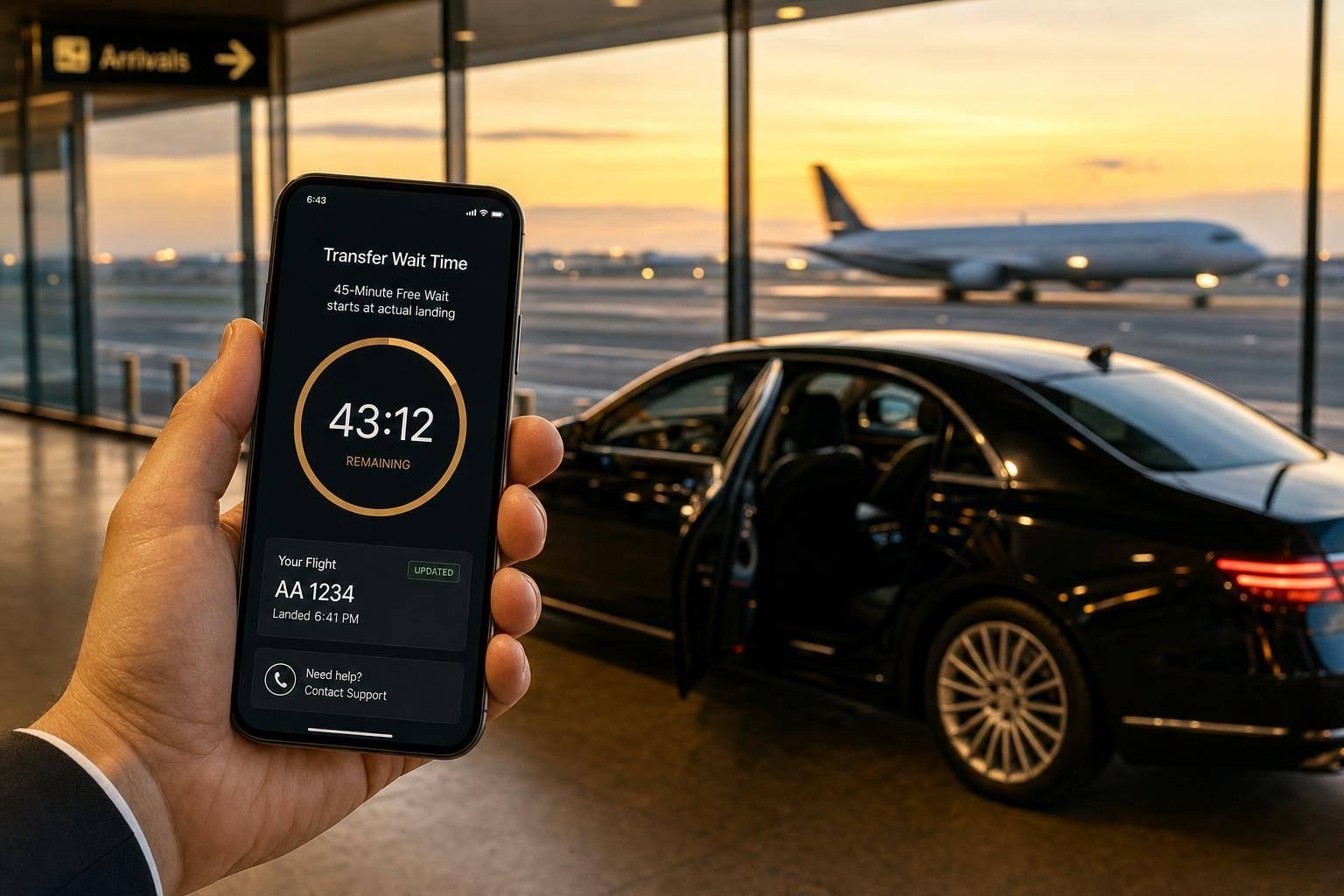
Private Transfer Wait Time After Flight Delay
Pickups auto-update with correct flight number. 45 minutes free waiting starts at actual landing; contact support for cancellations or diversions.
Private Transfer Wait Time After Flight Delay
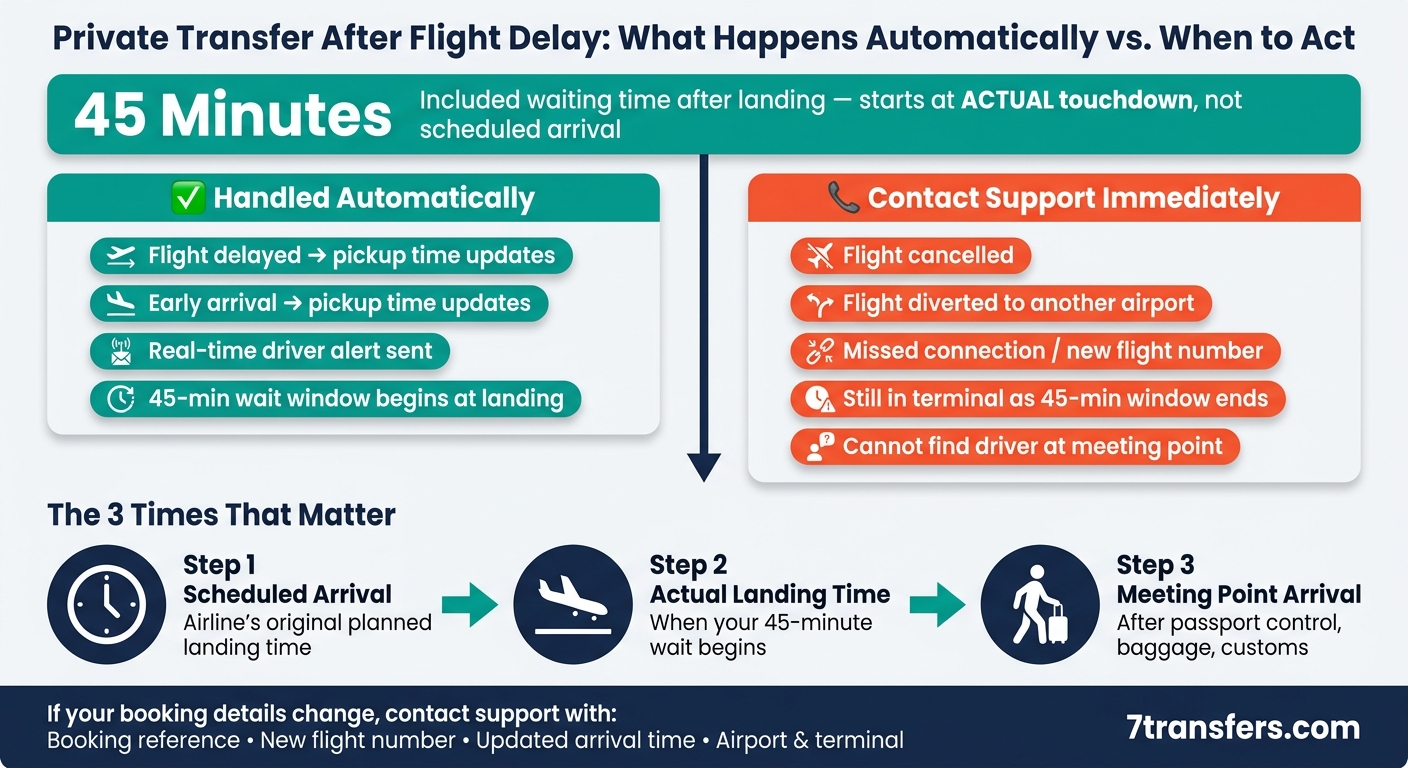
If my flight is late, my pickup usually moves with it automatically. With 7transfers, that happens when I book with the correct flight number. After landing, I then get 45 minutes of included waiting time, and that clock starts from the actual landing time, not the first scheduled one.
Here’s the short version:
- Normal flight delays: pickup time updates on its own
- Early arrivals: pickup time also updates on its own
- Included wait time: 45 minutes after touchdown
- The 45 minutes starts at landing: not at the original booked arrival time
- I need to contact support if the flight is cancelled, diverted, rebooked, or gets a new flight number
- I should also contact support at once if I’m close to the end of the 45-minute window or I can’t find the driver
A simple example: if my flight was due at 14:30 but lands at 15:15, the waiting window runs from 15:15 to 16:00. That gives me time for passport control, bags, customs, and the walk to the meeting point.
What matters most is this: there are 3 different times to keep in mind:
- Scheduled arrival
- Actual landing time
- Time I reach the meeting point
| Point | What I need to know |
|---|---|
| Scheduled arrival | The airline’s first planned landing time |
| Actual landing | This is when the 45-minute wait starts |
| Meeting point arrival | This is when I reach the driver after airport formalities |
Bottom line: if the delay is routine, I usually don’t need to do anything. If my trip changes in a bigger way, I need to send support my new flight details straight away.
Private Transfer Wait Times: Automatic vs. Manual Action Guide
How flight tracking adjusts your pickup time
When you book an airport pickup with 7transfers, the system tracks your flight in real time using your airline, flight number, and travel date. If those booking details are correct, it updates your pickup time on its own. So yes, it covers normal delays. The next thing to look at is where that tracking stops.
In day-to-day use, if your flight lands late or earlier than planned, both the support team and your driver get alerted automatically. The driver then adjusts based on the actual landing time.
What flight tracking handles automatically
Routine schedule changes are covered automatically. That includes delayed departures, updated ETA data, and early arrivals. Your driver stays matched to the new landing time, so once you land, you can head to the meeting point as planned.
What flight tracking does not solve on its own
Flight tracking has limits. It stops if the flight is cancelled, it can't follow a diversion to another airport, and it doesn't move to a new flight number after a missed connection. If any of that happens, you need to contact support and update the booking.
Flight status and traveller action table
Use this table to see the difference between changes the system handles on its own and cases where support needs to step in.
| Flight status | What tracking does | What the traveller should do |
|---|---|---|
| Delay | Automatically updates pickup time to match the new ETA | Pickup updates automatically |
| Early arrival | Automatically updates pickup time for the earlier landing | Pickup updates automatically |
| Cancellation | Tracking stops as the flight is no longer active | Contact support immediately |
| Diversion | Cannot follow the flight to a different airport | Contact support with your new airport |
| Missed connection | Tracking still follows the original flight only | Contact support with your new flight number |
sbb-itb-ff87004
7transfers waiting time after landing
Once flight tracking updates your landing time, the next thing that matters is the post-landing waiting window. After touchdown, a separate rule kicks in: 7transfers includes 45 minutes of waiting time for airport pickups.
When the 45-minute waiting period starts
The 45-minute countdown starts when the aircraft lands, not at the scheduled arrival time.
That matters more than it might seem. If your flight arrives late, the waiting time starts from the actual landing time. So you don't lose any of those 45 minutes while you're still in the air.
What the 45 minutes of waiting time covers
Those 45 minutes are meant to cover the usual airport steps after landing, such as:
- getting off the plane
- passport control
- baggage reclaim
- customs
- walking to the meeting point
What happens if you need more than 45 minutes
Once the 45 minutes are up, waiting is no longer included. Extra waiting may come with an added charge, and if the driver can't find you or get hold of you, the booking may be handled as a no-show.
If you're still inside the terminal when the 45 minutes are about to run out, don't sit tight and hope for the best. Act straight away. Call the driver using the number in your booking confirmation, or contact 7transfers support at once.
When to contact 7transfers support
Flight tracking covers normal delays. But it won’t follow a changed flight number, a cancellation, a diversion, or a missed connection.
If your live flight details no longer match your booking, contact support as soon as possible.
Contact support now if:
Use support only for cases that tracking can’t handle:
- Your flight number, airline, airport, or terminal changes.
- You’re still inside the terminal when the 45-minute waiting window is about to end.
- You can’t find your driver at the meeting point.
First, check the meeting instructions in your confirmation email. Then contact support.
What details to send to support
If any of these situations happen, send your updated trip details right away:
- Booking reference
- Lead passenger name
- Revised flight number and airline
- Airport and terminal
- Updated arrival time
- Reason for the delay
You can contact 7transfers by phone, email, WhatsApp, or online chat.
Quick reference table: tracking handles it or contact support now
| Situation | Contact support now |
|---|---|
| Airline changes your flight number | ✅ |
| Flight cancelled or diverted | ✅ |
| Missed connection / rebooked | ✅ |
| Still inside terminal as 45-minute window ends | ✅ |
| Cannot find driver at the meeting point | ✅ |
How to avoid pickup and waiting-time problems
Once you’ve got the timing rules straight, the rest is mostly about giving the right details and moving fast once you land.
Booking details that help the pickup go smoothly
Add your exact airline name, flight number, and travel date when you book. That’s what lets flight tracking line up with your trip correctly.
When your instant booking confirmation comes through, keep it on your phone. It includes your pickup instructions and meeting point. Read it before you land, not while you’re standing in the terminal trying to figure things out.
If you need a child seat, baby seat, or booster, ask for it during booking.
What to do after landing
After landing, follow the booking instructions straight away.
Head to the agreed meeting point as soon as you’ve cleared passport control and collected your bags.
Don’t leave the airport or switch terminals before you contact support. And if you can’t find your driver, call the number in your confirmation first.
Conclusion: the key points to remember
In practice, most pickup issues come down to a few simple things:
- Routine flight delays are handled automatically through real-time flight tracking, so you don’t need to do anything.
- 45 minutes of waiting time is included for airport pickups, starting from the moment of landing.
- Keep your booking reference and driver contact details ready in case plans change.
FAQs
What if my flight number changes?
If your flight number changes, send us the new one as soon as you can, along with your booking reference. That way, we can keep tracking your arrival the right way.
7transfers monitors airport pickups using the flight number on your booking. If your flight is delayed, your driver will adjust the pickup time within the normal tracking window, including 45 minutes of waiting time from landing.
Flight number changes are free up to 6 hours before pickup, subject to vehicle availability.
What if immigration takes longer than 45 minutes?
Airport pickups include 45 minutes of free waiting time from your flight’s landing time. If immigration or baggage reclaim takes longer, extra charges may apply.
If you expect a longer delay, please contact our 24/7 customer support team. Your driver will be tracking your flight and will be ready when you arrive.
How do I find my driver after landing?
After you land, your driver will meet you at the meeting point listed in your booking confirmation. That may be the arrivals hall, an official meeting point, or the kerbside. They’ll be easy to spot and will be holding a sign with your name.
If you can’t find your driver, first check the meeting instructions in your confirmation email. If you still need help, call the driver using the number in your booking details or contact our 24/7 customer support team straight away.