

.png)
Where to Meet Driver at Airport Terminal
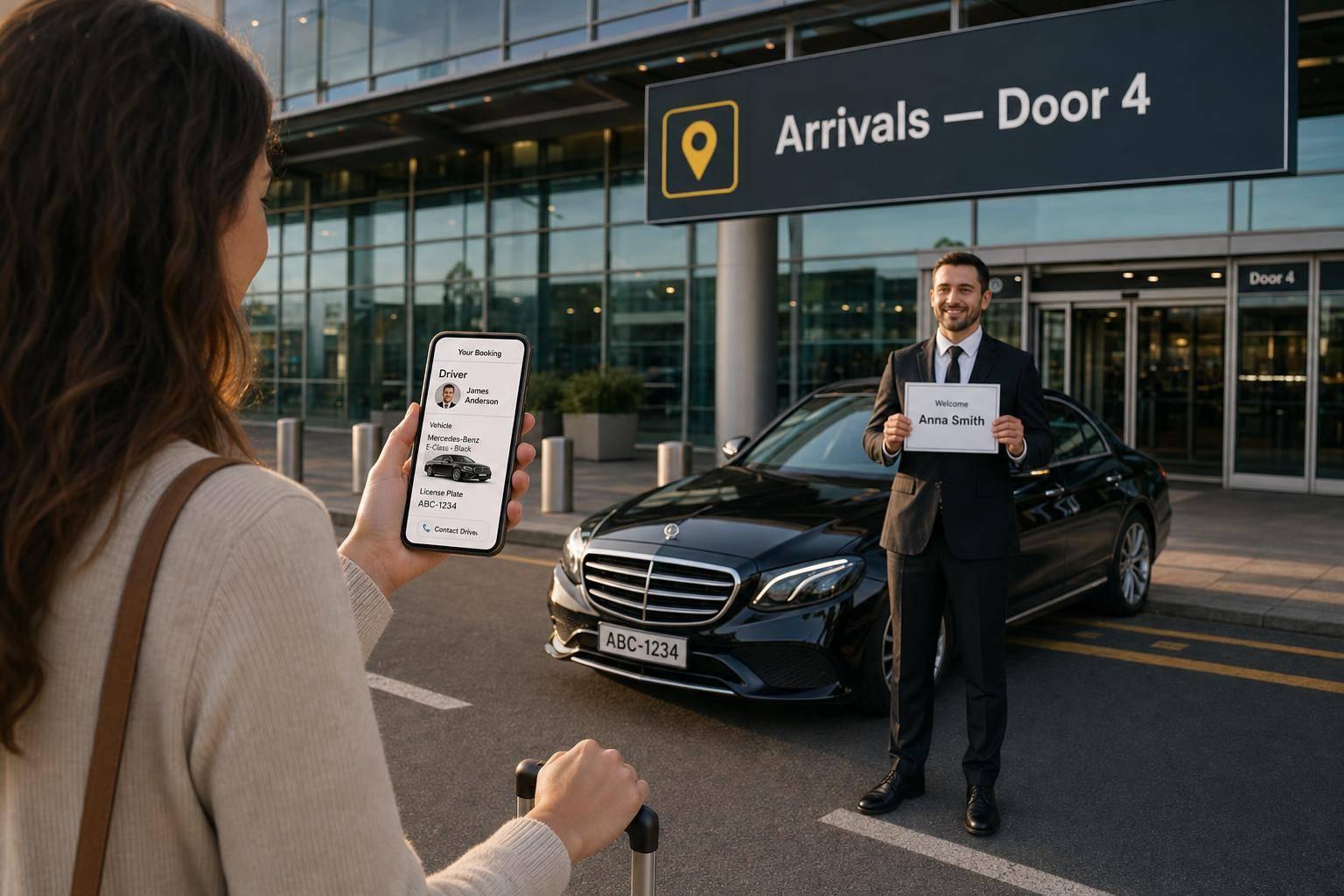
Follow your booking: go to the listed arrivals or curbside door, wait at the exact meeting point and confirm driver and car details.
Where to Meet Driver at Airport Terminal
Most airport driver pickups fail for one simple reason: people leave through the wrong door.
If I want to meet my driver without calls, delays, or walking around the terminal, I need to do three things: check my booking, go to the exact meeting point, and stay there if I can’t see the driver.
In most cases, the driver will wait in Arrivals with a name sign, or outside at a numbered exit door or pickup zone. Many private transfers also include 45 minutes of free waiting time from landing, so I do not need to rush after passport control and baggage reclaim.
Here’s the short version:
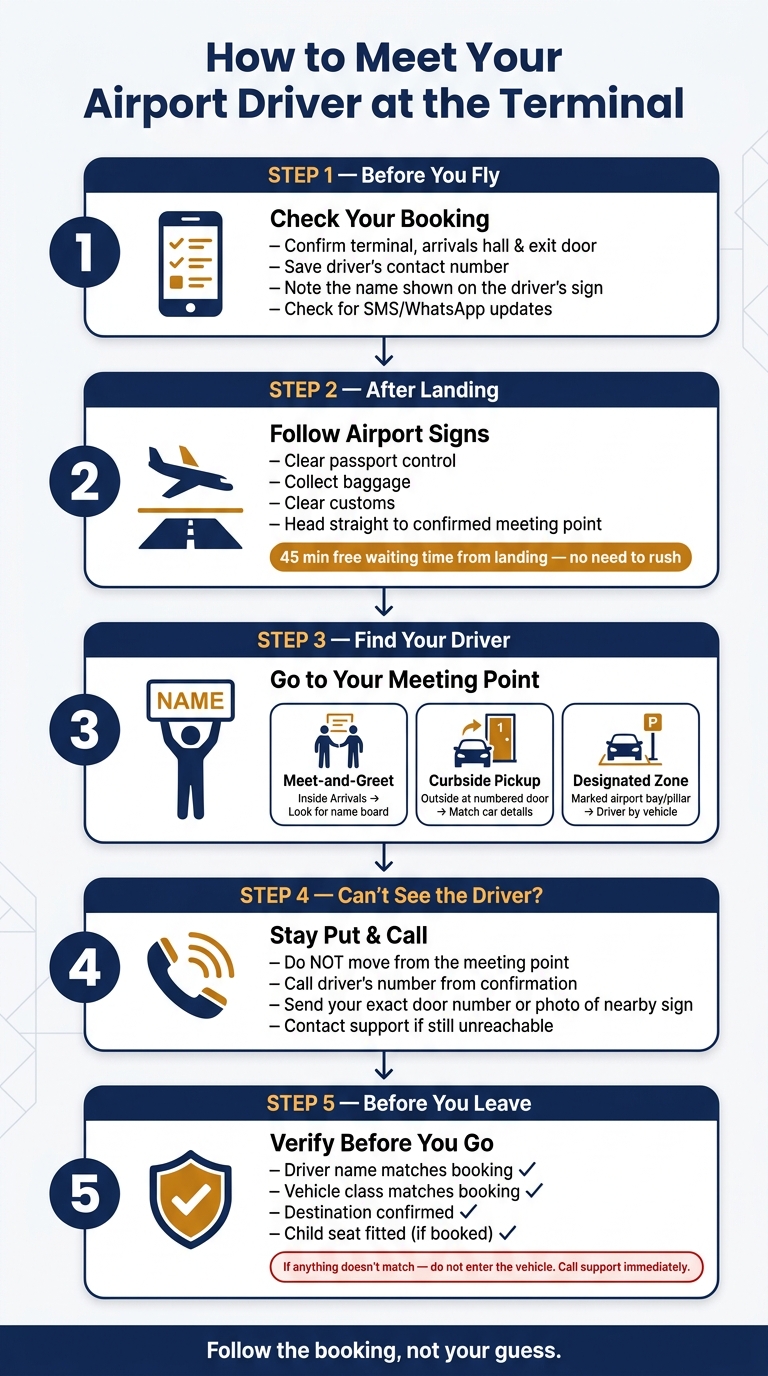
- Before I fly: I check the terminal, arrivals hall, exit door, and contact numbers.
- After landing: I go through passport control, collect bags, clear customs, and head straight to the booked meeting point.
- At the terminal: I look for a name board or go to the exact outside pickup spot in my confirmation.
- If I can’t find the driver: I stay put and call the driver or support.
- Before getting in: I confirm the driver’s name, car, and destination.
A missed pickup often comes down to small errors, not big ones. Wrong exit, wrong terminal, wrong sign name, or waiting at the taxi rank instead of the booked spot.
| Pickup type | Where I go | What I look for | What I do if I can’t see the driver |
|---|---|---|---|
| Meet-and-greet | Inside Arrivals | Name sign | Stay in Arrivals and call |
| Curbside pickup | Exact terminal door | Matching car details | Check door number and call |
| Designated pickup zone | Marked airport bay or pillar | Driver by the car or zone point | Re-check zone details and call |
My goal is simple: follow the booking, not my guess. That is the easiest way to leave the airport without stress.
How to Meet Your Airport Driver: Step-by-Step Guide
Terminal Meet and Greet in UNDER 17 Minutes! - LHR
sbb-itb-ff87004
Check your meeting details before you fly
Review your booking confirmation before you leave. That way, you’ll know exactly where to meet your driver after passport control and baggage reclaim.
Confirm the terminal, arrivals hall and exit door
Check the terminal, arrivals hall, and the exact exit door or pickup zone listed in your confirmation.
Pay close attention to the exact exit door or customs exit point shown there. If you come out through the wrong door, you could end up in another part of the terminal and miss your driver. It also helps to keep the contact numbers handy, so you can get in touch fast if the terminal is busy.
Save the driver's contact number and check the name on the sign
Once you’ve confirmed the meeting point, keep your booking details easy to access for arrival. Save the driver’s number and the support number from your confirmation email on your phone. If the arrivals hall is crowded, you can call straight away.
It’s also worth checking the name on the booking, because that’s usually the name shown on the driver’s sign.
Check your email, SMS, or WhatsApp for updates on driver assignment and arrival status.
What to do after landing
After landing, follow the airport signs to your confirmed meeting point.
Go through passport control, baggage reclaim and customs
First, clear passport control. Then collect your bags and follow the signs to Customs and Arrivals. Baggage reclaim can take a while, so once you’re through customs, go straight to the meeting point. Flight tracking helps the driver adjust if your flight is delayed or arrives early.
Once you clear customs, head straight to Arrivals and wait at the agreed door or hall.
Go to the confirmed meeting point before exiting the terminal
Drivers usually wait in the public arrivals hall holding a name board. Follow the route in your confirmation, and don’t use a different exit unless your booking says to.
Standard private transfer bookings include 45 minutes of complimentary waiting time from the moment your flight lands. So there’s no need to panic or race through the airport.
If you can’t see your driver, call the number in your booking details or contact support while staying at the meeting point. Stay there until your driver arrives or support tells you what to do next.
How to find your driver and use the correct pickup zone
Once you get to the agreed meeting point, use your booking type to find the driver without wasting time.
Look for the driver's name board in the arrivals hall
Check the arrivals hall for a driver holding a name board with the booking name or company logo. Before you leave, confirm your name and destination.
Use the assigned exit door or vehicle pickup area
If your booking shows an outside pickup, go to the exact door or pickup zone listed in your confirmation. Don’t go to a different exit or wait at the taxi rank.
Use the pickup type below to make sure you’re in the right place:
| Pickup type | Where you wait | How to identify the driver | If the car isn't immediately visible |
|---|---|---|---|
| Arrivals hall meet-and-greet | Inside the terminal, past the customs exit | Printed sign with your name | Stay in the arrivals area; call the driver or support |
| Terminal exit / curbside | Outside at the specific numbered door in your confirmation | Vehicle matching the model and plate number in your booking | Confirm you're at the correct door; call the driver to coordinate |
| Designated vehicle zone | Official airport parking bay | Driver waiting by the vehicle or at a numbered pillar | Re-check the zone or pillar number in your confirmation email |
If you can’t see the driver, call before moving away from the spot.
Call the driver or support if you cannot find anyone
If you still can’t find the driver, call the number in your confirmation while staying at the meeting point. Then call the driver’s mobile number listed in your confirmation.
If you’re at an outside pickup point, send your exact door number or a photo of a nearby sign so they can find you more easily. If you still can’t reach the driver, contact 7transfers support straight away. Stay where you are until support tells you otherwise.
Check the vehicle and leave the airport
Once you get to the meeting point, do one last check before leaving the airport. It only takes a moment, and it can save you a lot of hassle.
Confirm the driver, car and trip details before you go
Before you load your bags, verify the driver, vehicle and trip details.
| What to check | What to do |
|---|---|
| Driver's name | Match it with your booking |
| Vehicle class | Check it matches your booking |
| Destination | Confirm the drop-off address |
| Child seat | Check it is fitted |
If the name, vehicle or destination does not match, do not enter the vehicle. Call the driver first. If the issue remains, contact 7transfers support immediately.
Once everything matches, load your luggage and head out.
Conclusion: The simplest way to meet your airport driver
The process is simple: check your booking before you fly, follow the meeting point instructions, and use your phone if needed after landing. Before leaving the terminal, confirm the driver, vehicle and destination.
FAQs
What if my flight is delayed?
If your flight is delayed, there’s no need to stress. Just add your flight number when you book and 7transfers will track your flight in real time, then adjust your pickup time automatically. Your driver will get the updated arrival time too.
You’ll also have 45 minutes of free waiting time from the moment your flight lands. And if you need help, customer support is available 24/7.
How do I know which exit door to use?
Check your booking confirmation and make sure you head to the correct exit door. Each airport has its own pickup setup, so the meeting instructions in your booking details will tell you exactly where to go - whether that’s the arrivals hall, a set meeting point, or a specific kerbside area.
If you can’t find your driver, call the phone number in your booking details or contact 7transfers customer support for help.
What should I do if I leave through the wrong door?
If you leave through the wrong door and can’t find your driver, start by checking the meeting instructions in your booking confirmation.
Still no luck? Call the contact number listed in your booking details or get in touch with 7transfers customer support straight away. The team is available 24/7 and can help sort out your pickup.