


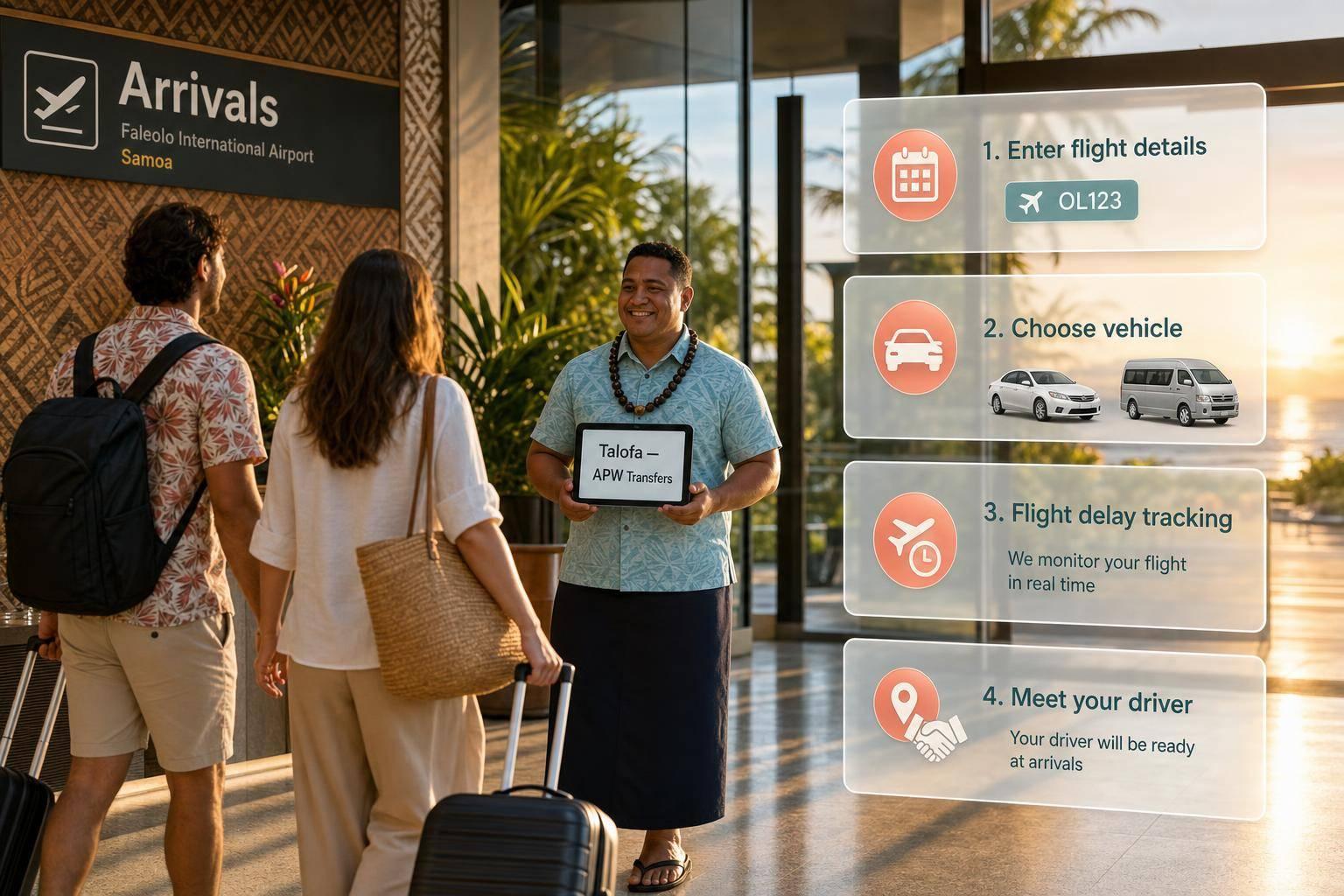
Samoa Airport Transfers: Booking Guide
Step-by-step guide to booking APW transfers: enter flight details, pick the right vehicle, track delays, and meet your driver at arrivals.
Samoa Airport Transfers: Booking Guide
If I want my arrival in Samoa to go smoothly, I book my APW transfer before I fly, enter my flight number, and keep my booking reference ready. Faleolo International Airport is about 40 km from Apia, and the drive is usually 45 to 60 minutes. Standard airport pickup also includes 45 minutes of waiting time after landing.
Before I book, I make sure these points are correct:
- Airport: Faleolo International Airport (APW)
- Date: use DD/MM/YYYY
- Time: use the scheduled landing time in 24-hour format
- Flight details: airline + flight number
- Drop-off: full address or hotel name
- Group size: passengers and bags
- Child seats: add them during booking
- Booking window: book at least 24 hours before pickup
- After landing: go through immigration, bags, customs, then find the driver in the arrivals hall
A pre-booked transfer usually means a fixed fare, flight tracking, and a meet-and-greet with a name sign. If my flight is late, the driver timing can be updated from the flight number on the booking. If I take longer than the waiting period, I use the contact details in my confirmation.
This guide is about one thing: how I book the right Samoa airport transfer and avoid mistakes on arrival.
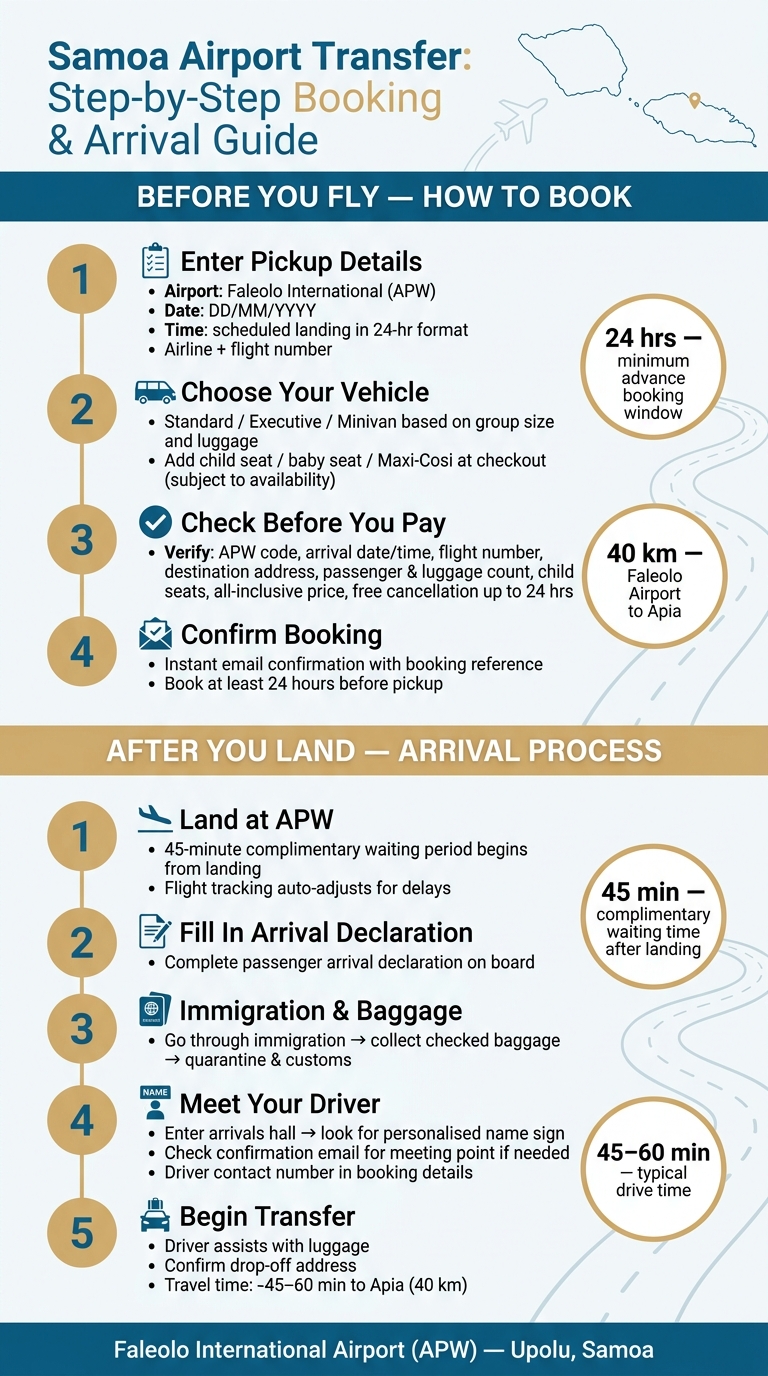
Samoa Airport Transfer: Step-by-Step Booking & Arrival Guide
How to book your Samoa airport transfer before you fly
You can book online or by phone, and you’ll get instant confirmation with a booking reference.
Start with the APW pickup details.
What to enter for an APW pickup
Enter the details that connect your booking to your flight. Set the pickup location as Faleolo International Airport (APW), add your arrival date in DD/MM/YYYY format, and use the scheduled landing time in 24-hour format. Then include your airline and flight number so the driver can track your flight.
After that, fill in your full destination address or your accommodation name, plus the total number of passengers and your luggage details. This part matters more than people think. If anything is missing, you could end up with the wrong vehicle.
Next comes the vehicle choice and any child seats.
Choosing the right vehicle and add-ons
Vehicle options are based on your group size and how much luggage you’re bringing, with choices such as standard, executive, and minivans. If you’re travelling with a larger group or carrying extra bags, a minivan is usually the safer pick.
If you’re travelling with children, request a child seat, baby seat, or Maxi-Cosi during the booking process, not later, because these are subject to availability.
Before you pay, check the booking details one more time.
What to check before you pay
| What to check | Check |
|---|---|
| Airport code | APW - Faleolo International Airport |
| Arrival date and time | DD/MM/YYYY format and 24-hour landing time |
| Flight number | Correct airline and number for tracking |
| Destination | Full address or accommodation name |
| Passengers and luggage | Accurate count, including cabin bags |
| Child seats | Requested if travelling with children |
| Price | All-inclusive fare with taxes and standard fees included |
| Cancellation terms | Free cancellation up to 24 hours before pickup |
| Confirmation | Instant email with booking reference |
Next: how to time your pickup and use flight tracking after landing.
sbb-itb-ff87004
How to time your pickup and use flight tracking
Enter the scheduled arrival time, not the time you expect to leave arrivals
After you book, the pickup timing is tied to your scheduled landing time at APW. So when you fill in your details, use the scheduled arrival time shown on your itinerary, not the time you think you'll get out of arrivals.
That matters because the driver's timing is based on the official flight arrival time, and the 45-minute complimentary waiting period starts when your flight actually lands.
That 45-minute window is there to give you time for immigration, baggage claim and customs.
How 7transfers flight tracking handles delays
When you add your flight number, 7transfers can adjust your pickup time if your flight lands early or late. For normal flight delays, pickup times are updated automatically.
If your flight number changes before departure, update your booking straight away. It also helps to use a mobile number that can receive SMS or WhatsApp updates.
Waiting time and when to contact support
Standard airport pickup includes 45 minutes of complimentary waiting time from the moment your flight lands. If you go past those 45 minutes, contact support or your driver using the details in your confirmation.
Next, follow the arrival steps to meet your driver at Faleolo Airport.
Meeting your driver and completing the transfer after landing
Step-by-step arrival process at Faleolo Airport
After landing at APW, the process is pretty straightforward.
Fill in the passenger arrival declaration on board, then go through immigration, collect your checked baggage, and continue through quarantine and customs before you exit into the arrivals hall.
Meet and greet: finding your driver
Once you enter the arrivals hall, look for a driver holding a personalised name sign with your name on it. They’ll confirm your booking and guide you to the vehicle.
If you can’t spot your driver straight away, check the meeting point listed in your confirmation email. The driver’s contact number is also included in your booking details. If needed, you can contact 7transfers support using the number in your confirmation or via WhatsApp.
From there, load your bags and confirm the drop-off point before setting off.
Loading luggage and travel times to Upolu destinations
Your driver will help with luggage, though it’s still a good idea to double-check that all your bags are in the vehicle before you leave.
Travel time will depend on where you’re headed. Apia takes longer to reach than Mulifanua Wharf.
Key steps for a smooth Samoa airport transfer
Once your booking is confirmed, run through this last checklist before travel day.
Book at least 24 hours in advance. If you need a child seat or booster, add it at checkout.
When you fill in your transfer details, enter APW, your Upolu drop-off address, your scheduled arrival time, and your flight number. That gives 7transfers what it needs to adjust your pickup if your flight is delayed.
Pick a vehicle with enough room for everyone in your group and all luggage. It’s better to have a bit more space than to squeeze everything in at the last minute.
Keep your confirmation email or booking reference close at hand. You’ll use it for the meeting point and support details.
After landing, go straight to the arrivals hall and meet your driver there.
FAQs
What if my flight number changes?
If your flight number changes, you can update your booking details free of charge up to 6 hours before your scheduled pickup, subject to vehicle availability.
Please contact 7transfers as soon as possible with your booking reference so your driver can track your arrival correctly and arrange your pickup.
Where exactly do I meet the driver?
Your exact meeting point is listed in your booking confirmation. Depending on the airport, it may be in the arrivals hall, at an official meeting point, or in a designated kerbside pickup area.
Your driver will be waiting with a personalised name sign. If you can’t find them, use the contact number in your booking details or get in touch with our 24/7 support team.
How much luggage fits in each vehicle?
Luggage capacity depends on the vehicle class you pick when you book. During the booking process, you’ll see how much standard luggage and hand luggage your chosen vehicle can carry.
You can also check luggage capacity in your reservation details when you manage your booking. Drivers can work around your luggage volume to help make the journey more comfortable.