


Where to Meet Driver After Airport Exit
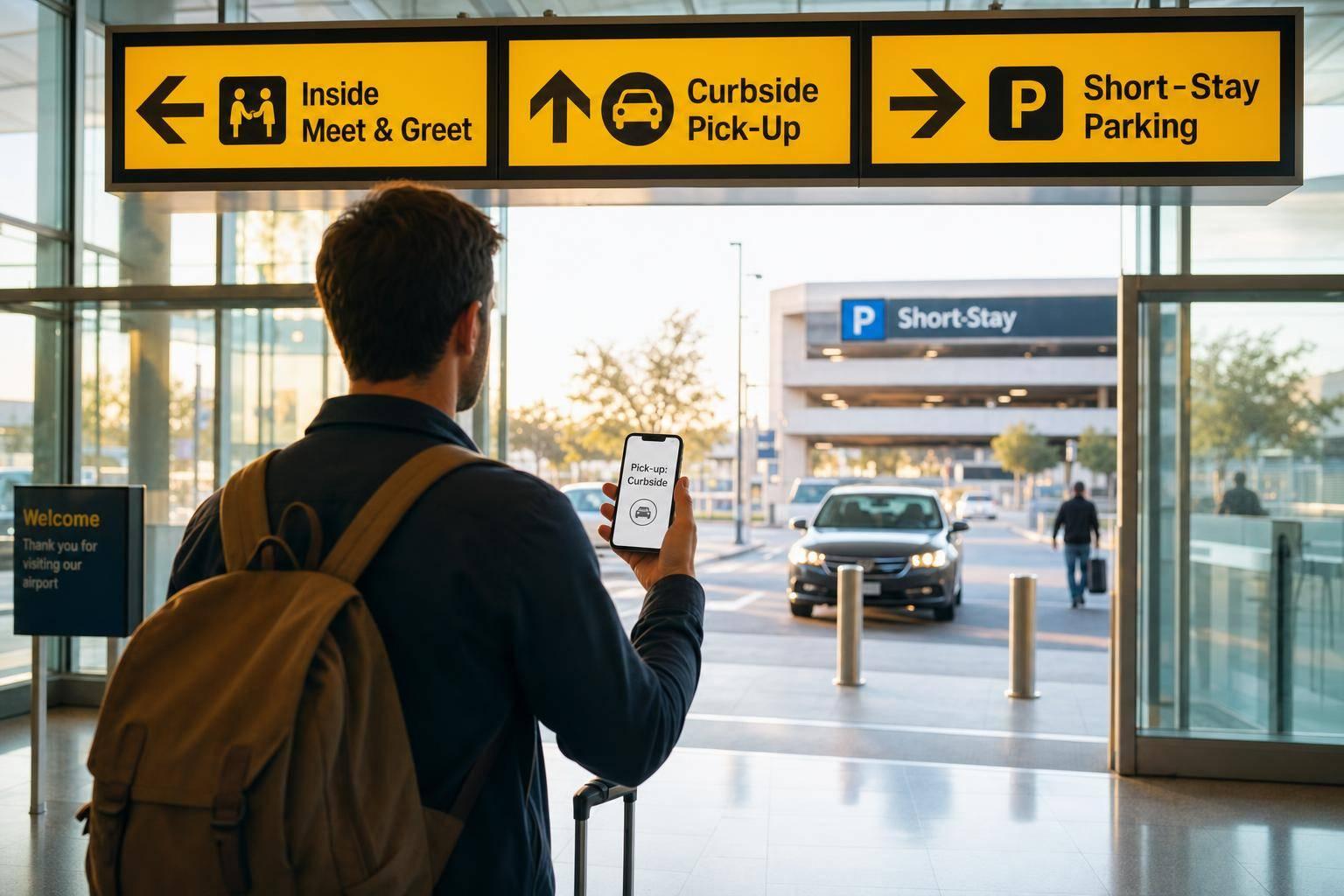
Match your booking with airport signs: wait inside, use curbside for quick loading, or go to short‑stay parking.
Where to Meet Driver After Airport Exit
If I want to meet my driver without wasting time, I check my booking first and then follow the airport signs. Most airport pickups fall into 3 common spots: inside arrivals, at the curb, or in short-stay parking.
In simple terms, I do this:
- Stay inside if my booking shows an indoor meeting point
- Go outside only if my booking says curbside or parking
- Match the terminal, door, level, or zone with the signs around me
- Wait until baggage claim and customs are done before heading to pickup
- Call the driver or support if I cannot find them at the listed spot
Airports handle millions of passengers each year, and pickup rules change by terminal and traffic control. That is why the exact place in the booking matters more than the nearest exit.
Quick comparison
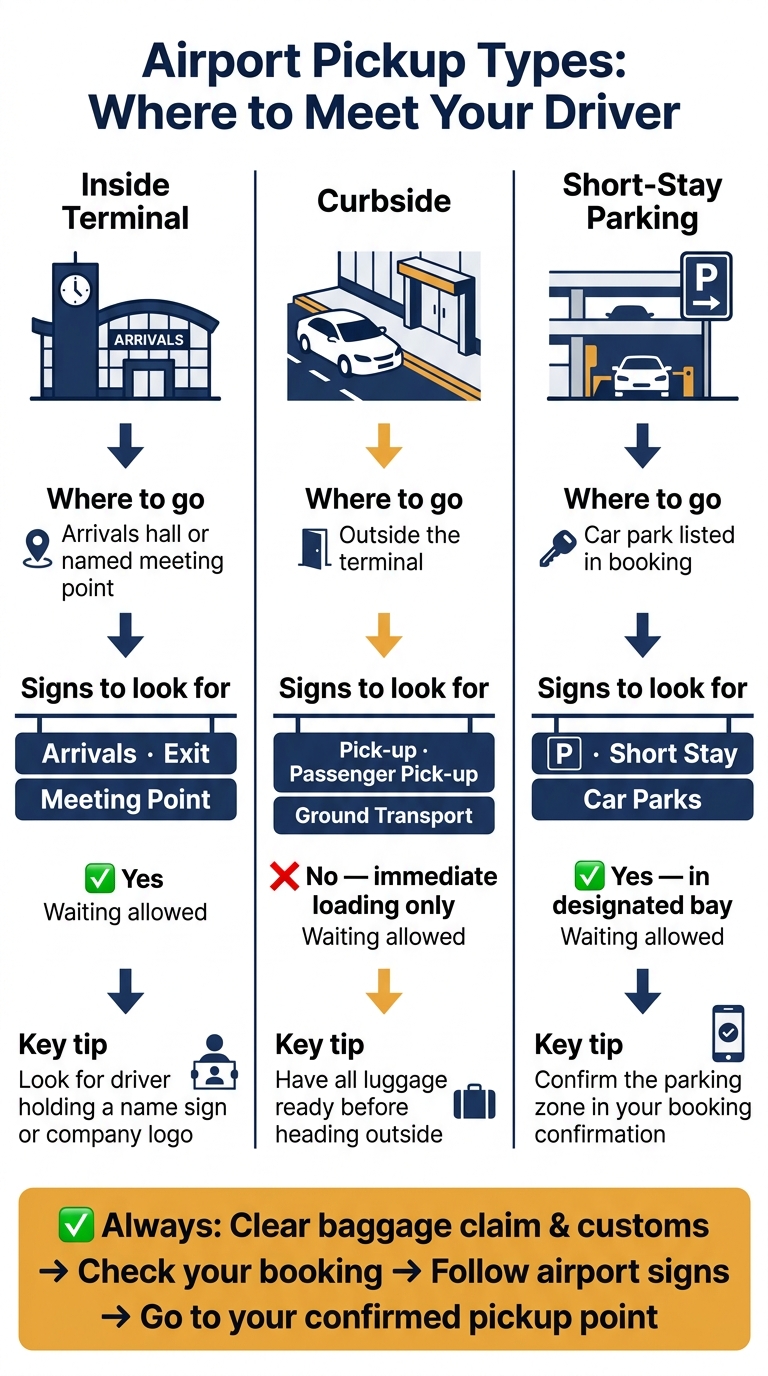
| Pickup type | Where I go | Signs I look for | Can the driver wait there? |
|---|---|---|---|
| Inside terminal | Arrivals hall or named meeting point | Arrivals, Exit, Meeting Point | Usually yes |
| Curbside | Outside the terminal | Pick-up, Passenger pick-up, Ground Transport | Usually no, only for loading |
| Short-stay parking | Car park listed in booking | P, Short Stay, Car Parks | Yes, in marked bays |
My rule is simple: I do not guess, and I do not use the first door I see. I follow the signs, match them with my booking, and go straight to the listed pickup point.
Airport Pickup Types: Where to Meet Your Driver
Meeting your driver inside the terminal
Go straight to the indoor meeting point listed in your confirmation and wait there. Inside the terminal, stick to the exact spot named in your booking.
Go to the exact meeting point named in your booking
The meeting point is often the arrivals hall, a Meeting Point sign, an information desk, or a nearby landmark.
If your booking says the driver is inside, do not go outside. Heading to the curb can mean you miss the driver. At larger airports, check the terminal, door, level, or landmark shown in your confirmation.
Once you get there, look for your name sign or the company logo.
Find your driver by name sign or board
Drivers usually hold a name sign with your name and the company logo.
With 7transfers, the driver meets you inside arrivals, tracks your flight in real time, and includes waiting time from the moment your flight lands.
If the driver isn't easy to spot, move fast. Call the number in your booking confirmation or contact support right away.
sbb-itb-ff87004
Curbside and parking pickup explained
Outdoor pickups happen in one of two places: curbside or a short-stay car park. The right spot depends on airport rules and what your booking confirmation says.
If your booking does not mention an indoor meeting point, follow the outside pickup signs to the curb or car park listed in your confirmation.
How to find the right curbside loading area
As soon as you leave the terminal, check the overhead road signs. Look for labels like "Pick-up", "Passenger pick-up," or "Ground Transport." These signs point you to the pickup lane outside the terminal.
Curbside zones are for immediate loading only. So don’t head there until you’ve collected all your luggage and you’re ready to get in the car. If you still can’t find the driver, check your messages and call the number in your booking.
When pickup happens from short-stay parking
Some airports don’t allow waiting at the curb. In that case, go to the short-stay car park instead.
If curbside waiting is banned, your pickup will move to a short-stay car park or another marked waiting area. Use the parking zone shown in your confirmation, then follow signs for "P", "Short Stay," or "Car Parks."
Pickup types at a glance
Use the table below to match your booking with the right pickup point.
| Pickup Type | Where to Go | Signs to Look For | Waiting allowed | Before You Move |
|---|---|---|---|---|
| Curbside | Outside the terminal | Pick-up, Passenger pick-up, Ground Transport | No - immediate loading only | Have all luggage ready |
| Parking | Short-stay car park | P, Short Stay, Car Parks | Yes - in a designated bay | Confirm the parking zone in your booking |
What to do when the airport layout is not what you expected
If the terminal layout doesn't match what you saw in your booking, don't panic. Follow the airport signs to get to the right pickup point, then check the exact door, level, or zone listed in your booking.
Follow airport signs first
Start with the airport's official signs. They're usually the best guide when you're inside the terminal. Once you're close, confirm the pickup details in your booking, like the door, level, or zone.
Wait until you are through baggage claim before moving to the meeting point
Head to the meeting point only after you've cleared baggage claim and customs. Drivers wait in the public arrivals area after those steps, so going there too early can make the pickup harder.
If you still can't find your driver, stay at the confirmed meeting point and call the number in your booking or contact support.
Conclusion: Match the signs, the booking, and the pickup point
Match the airport signs with your booking details, then head to the exact meeting point in your confirmation. If the airport layout feels different from what you expected, follow the signs and trust the confirmed pickup spot.
Whether your driver is waiting inside the arrivals hall with a name sign or at a set curbside zone, the handoff is simple when you go to the place listed in your booking. Once you clear baggage claim, go straight to that confirmed meeting point.
FAQs
What if my pickup point changes after landing?
Contact 7transfers as soon as you can and have your booking reference ready. Meeting instructions depend on the airport, so check your booking confirmation for the exact details.
If your plans change, you can ask to update the date, time, or flight details. Changes requested at least 6 hours before pickup are free, as long as a vehicle is available. You can also reach the 24/7 customer support team for help with meeting point updates.
How long will the driver wait for me?
For airport pickups, 7transfers includes 45 minutes of free waiting time from your flight’s actual landing time.
Your driver tracks your flight and adjusts the pickup time if it’s delayed. If you think you’ll need more time, or if the delay goes past standard monitoring limits, contact your driver or 24/7 customer support. Extra waiting may lead to additional charges.
What should I do if I have no mobile signal?
First, check the meeting instructions in your booking confirmation. They include the pickup details for your location. Your driver will be waiting at the agreed meeting point and will be tracking your flight.
If you still can’t find your driver, use a public phone or the airport Wi‑Fi to contact customer support or call the driver’s number listed in your booking details.