


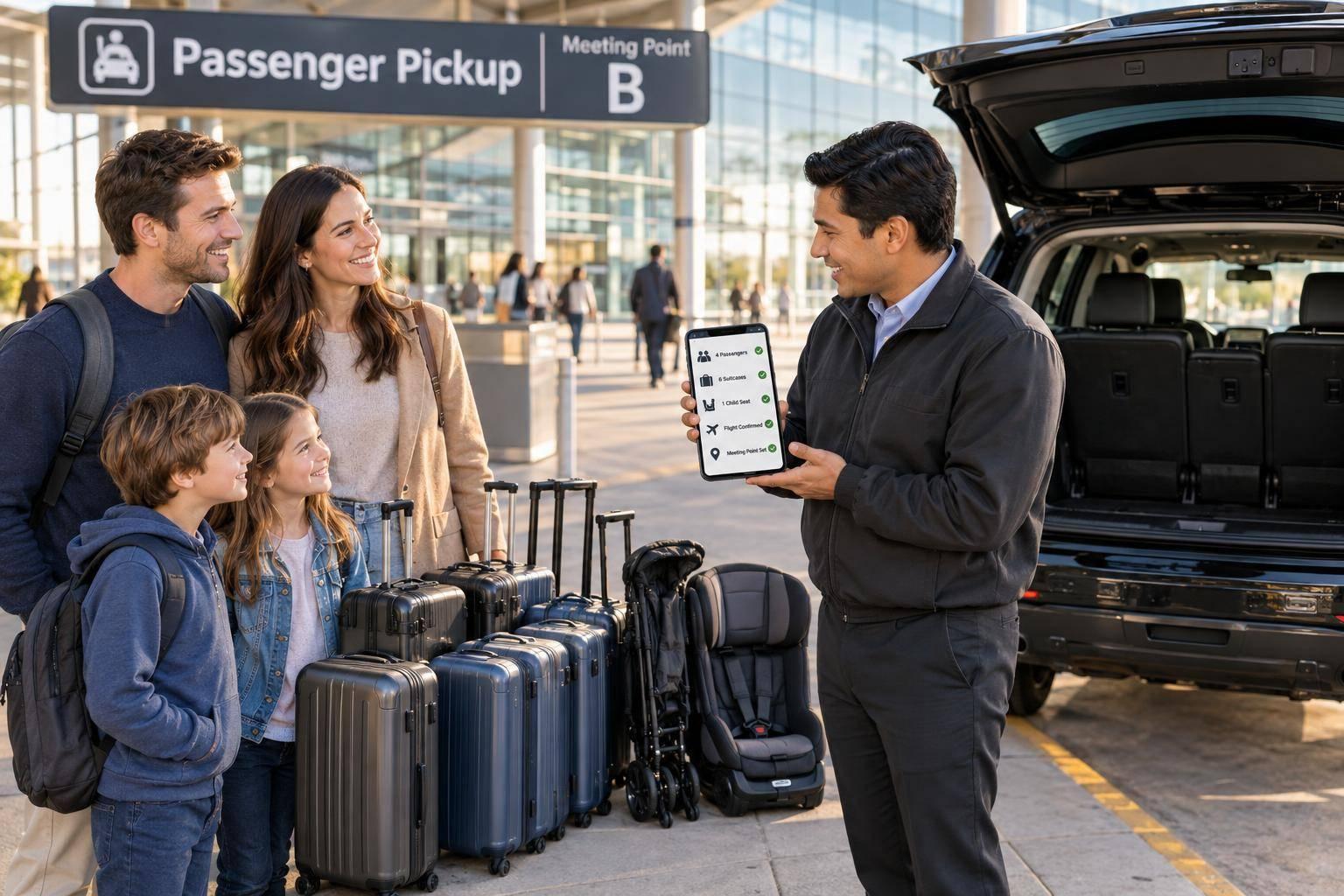
Passenger Count for Airport Pickups: Guide
Checklist to count passengers, luggage and child seats, choose the right vehicle, book 24+ hours ahead, confirm flight and meeting point.
Passenger Count for Airport Pickups: Guide
I count every traveller - including babies - before booking an airport pickup. Then I check seats and luggage space: room for everyone doesn’t always mean room for every bag.
Here’s my booking checklist:
- Passengers and bags: Share adult, child and infant totals, luggage counts, bulky items and wheelchair or assistance needs.
- Child seats: Give each child’s age, height and weight. In Spain, children 135 cm or less usually need an approved restraint.
- Booking: Book at least 24 hours ahead, then check the vehicle, requested extras and any fees in the confirmation.
- Flight and pickup: Send the flight number, airport, local arrival date and terminal. Check the meeting point and save contact details.
- Waiting time: The article states that the included 45 minutes starts at landing, not at arrivals. I’d confirm this in my booking and contact support if I expect to take longer.
My final check? <u>Send any changes before arrival and wait for confirmation.</u>
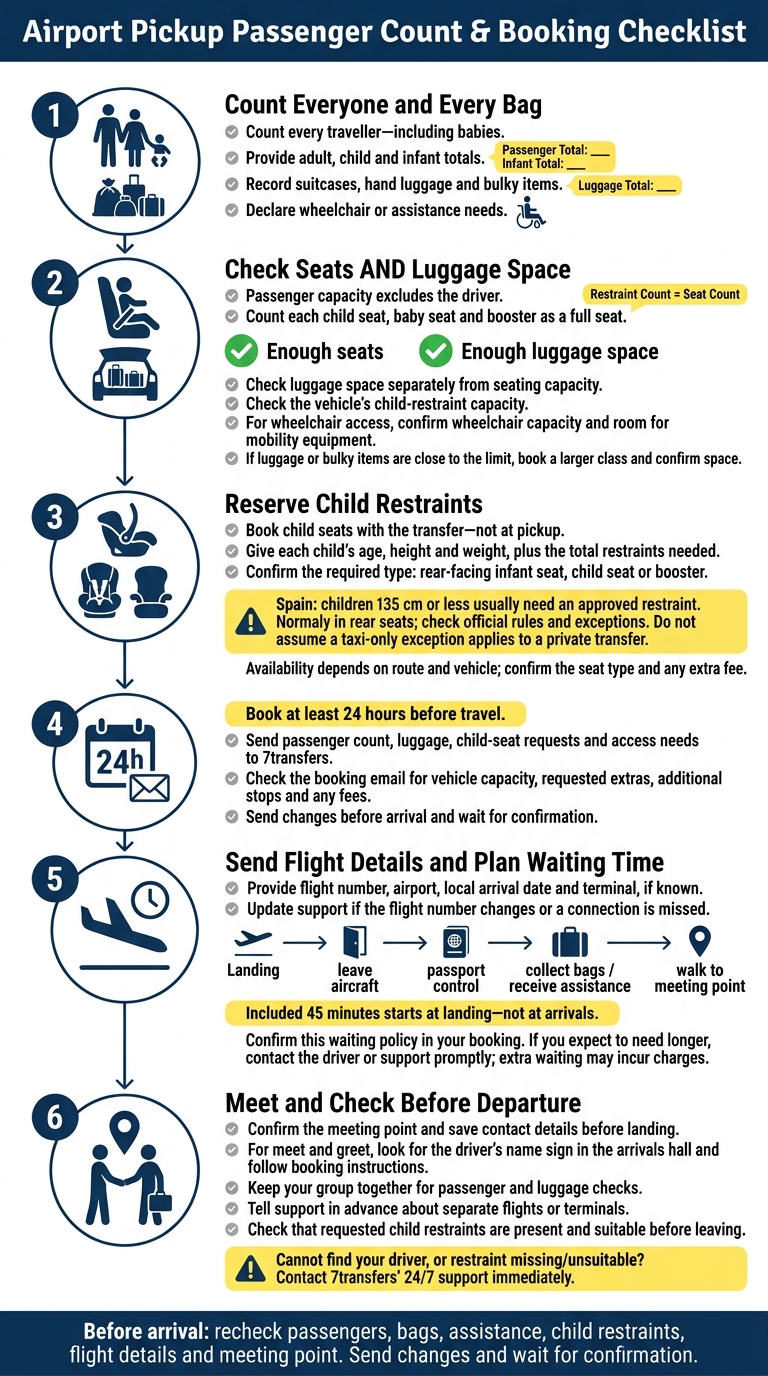
Airport Pickup Passenger Count & Booking Checklist
Choose a Vehicle for Your Group and Luggage
Use your checklist totals to choose a vehicle with enough room for your passengers, luggage and child restraints.
Check Seating and Boot Space
Start with the passenger count. Then check the vehicle’s limits for passengers excluding the driver, suitcases, hand luggage and child restraints. Check luggage space separately from seating capacity.
Count each child seat, baby seat and booster as a full seat. If your luggage or bulky items are close to the vehicle’s limit, book a larger class and confirm there’s enough space.
If you need wheelchair access, check both the vehicle’s wheelchair capacity and room for mobility equipment before confirming.
Choosing a vehicle that fits your group helps prevent delays at the terminal exit. Once you’ve checked the space, send your exact requirements to 7transfers.
Share Your Booking Details with 7transfers
Whether you book with 7transfers online or by phone, provide your total passenger count, luggage details, child-seat requests and access needs. For each child, include their age, height and weight.
Book at least 24 hours before travel, especially for airport transfers and peak dates.
Check your booking email to confirm the vehicle’s capacity and any extras, such as child seats or additional stops.
sbb-itb-ff87004
Book Child Seats Before Arrival
Book child seats with your transfer, not at pickup. This helps ensure the vehicle is ready at the terminal exit. Use the child details from your booking checklist to reserve the right restraint before arrival.
7transfers supplies baby seats and child seats on request, depending on route and vehicle availability. Confirm the seat type and any extra fee in your booking email.
Give Each Child’s Age, Height and Weight
Provide each child’s age, height and weight using the details you’ve already collected. Include the total number of restraints needed so the provider can allocate the right types: rear-facing infant seats, child seats or boosters.
Need more than one restraint? Check the vehicle’s child-seat capacity before confirming your booking. Limits vary by vehicle class.
Check Spain’s Child-Restraint Rules
Check official Spanish road-safety guidance. Children measuring 135 cm or less usually need an approved child restraint and normally travel in the rear seats, unless official rules permit otherwise. Don’t assume a taxi-only exception applies to a private transfer.
At pickup, check that the seat is there and suitable before you leave. If it’s missing or unsuitable, contact the number in your confirmation or 7transfers’ 24/7 support immediately.
Once you’ve confirmed the seats, match your pickup timing to the flight.
Plan Flight Tracking and Your Pickup
Once you’ve confirmed the vehicle, luggage, and child seats, send the flight details needed to set your pickup time.
Confirm Flight Details and Pickup Timing
Send 7transfers your flight number, airport, local arrival date (07/10/2026), and terminal, if known. If your flight number changes or you miss a connection, update support as soon as possible. Drivers track your flight in real time and adjust the pickup time for normal delays.
Your included 45-minute waiting period starts when the flight lands, not when you reach arrivals. Allow time to leave the aircraft, clear passport control, collect your bags, receive any assistance, and walk to the meeting point. If you expect to need longer, contact the driver or support promptly. Extra waiting time may incur charges.
Confirm Where to Meet Your Driver
Check the meeting point in your booking so you know exactly where to go after arrival.
For meet and greet, look for your driver’s name sign in the arrivals hall and follow the meeting instructions in your booking. Save the driver’s contact details before landing.
Keep your group together so the driver can check passenger numbers and luggage. If you’re arriving on separate flights or at different terminals, tell support in advance. Can’t find your driver? Contact 7transfers’ 24/7 support immediately.
Conclusion: Check Your Booking Before Arrival
Before you arrive, recheck passenger numbers, luggage, assistance needs, child restraints, flight details, and the meeting point. Make sure the vehicle has enough seats and boot space, and send any changes before arrival.
FAQs
Can I change my passenger count after booking?
Yes, you can change the number of passengers after booking, subject to availability. Contact 7transfers as soon as possible with your booking reference to request the change.
The change may affect your trip’s total price. Giving the correct passenger count helps 7transfers assign the right vehicle for your group. Early notice gives them time to arrange a different vehicle if needed.
Can I bring my own child seat?
To meet safety standards, vehicle insurance requirements and transport regulations, 7transfers provides professional-grade child seats, baby seats and Maxi-Cosi carriers on request. Each is matched to your vehicle and your transfer’s safety requirements in Spain.
Request the equipment when booking, or select it through the extras option once your reservation is confirmed. This helps ensure it’s compatible with your assigned vehicle.
What if passport control takes over 45 minutes?
7transfers includes 45 minutes of free waiting time, starting when your flight actually lands. If passport control takes longer, extra waiting charges may apply. Your driver or the support team will confirm whether your booking is subject to these charges.
7transfers tracks your flight in real time and adjusts for delays. If you run into unexpected issues on arrival, support is available 24/7 by phone or WhatsApp.